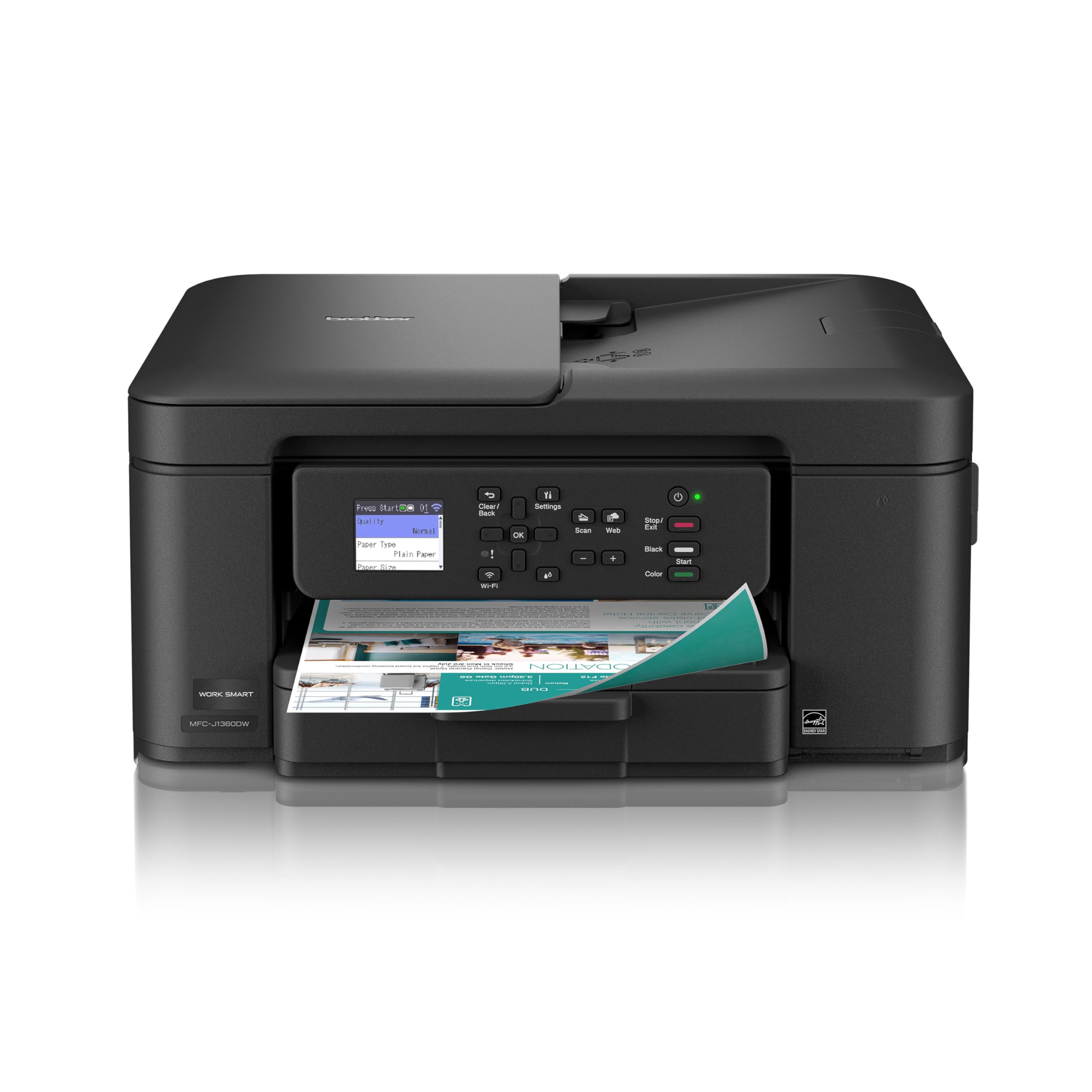
Brother Work Smart 1360 Wireless Color Inkjet All-in-One Printer with Automatic Duplex Printing and 1.8” Color Display | Incl
4.1 | 9,462 ratings
Price: 89.98
Last update: 02-15-2026
About this item
- BEST FOR HOME AND HOME OFFICE: Get all your work done with an all-in-one multifunction printer. Print, copy, and scan on one compact printer for home use and home offices. Brother inkjet printers produce beautiful prints for results that stand out.
- EASY TO USE WITH CLOUD APP CONNECTIONS: Print from and scan to popular Cloud apps(2), including Google Drive, Dropbox, Box, OneDrive, and more from the simple-to-use 1.8” color display on your printer.
- PRODUCTIVITY-FOCUSED PRINTING FEATURES: This printer includes automatic duplex (2-sided) printing, a 20-sheet single-sided Automatic Document Feeder (ADF)(3), and a 150-sheet paper tray(3). Engineered to print at fast speeds of up to 16 pages per minute (ppm) in black and up to 9 ppm in color(4).
- MULTIPLE CONNECTION OPTIONS: Connect your way. Interface with your printer on your wireless network or via USB.
- THE BROTHER MOBILE CONNECT APP: Go mobile with the Brother Mobile Connect app(5) that delivers easy onscreen menu navigation for printing, copying, scanning, and device management from your mobile device. Monitor your ink usage with Page Gauge to help ensure you don’t run out(6) .
Product information
Additional details
| Printer Type | Inkjet |
|---|---|
| Other Special Features of the Product | Auto Document Feeder, Auto-Duplex, Energy Star |
| Printer Output Type | Color |
| Item Weight | 16.8 Pounds |
| Item Dimensions D x W x H | 13.5"D x 15.4"W x 7.2"H |
| Print media | Envelopes, Glossy photo paper, Paper (plain) |
| Scanner Type | Flatbed, Sheetfed |
| Maximum Copy Speed Black and White | 11 ppm |
| Compatible Devices | Laptops, PC, Smartphones, Tablets |
| Warranty Type | Limited |
| Maximum Copies Per Run | 99 |
| Ink Color | Multicolor |
| Resolution | 1200 x 6000 dpi |
| Additional Printer Functions | Copy, Fax, Scan |
| Control Method | Push Button |
| Number of Trays | 1 |
Print Speed
| Color Pages per Minute | 9 ppm |
|---|---|
| B&W Pages per Minute | 16 ppm |
| Initial Page Print Time | Black: Approx. 6.2 seconds; Color: Approx. 9.6 seconds Seconds |
Color
| Color | Black |
|---|
Connectivity
| Printer Connectivity Type | USB, Wi-Fi |
|---|---|
| Hardware Interface | USB 2.0 |
| Total Usb Ports | 1 |
Copy Resolution
| Maximum Copy Resolution Color | 1200 x 6000 dpi |
|---|---|
| Maximum Copy Resolution Black and White | 1200 x 6000 dpi |
Warranty & Support
Amazon.com Return Policy:Amazon.com Voluntary 30-Day Return Guarantee:You can return many items you have purchased within 30 days following delivery of the item to you. Our Voluntary 30-Day Return Guarantee does not affect your legal right of withdrawal in any way. You can find out more about the exceptions and conditionshere.
Manufacturer’s warranty can be requested from customer service.Click hereto make a request to customer service.
Feedback

Brother Work Smart 1360 Wireless Color Inkjet All-in-One Printer with Automatic Duplex Printing and 1.8” Color Display | Includes Refresh Subscription Trial(1) (MFC-J1360DW) (Uses LC501 Series Inks)
Share:https://www.amazon.com/dp/B0FGC43YCL
Found a lower price? Let us know. Although we can't match every price reported, we'll use your feedback to ensure that our prices remain competitive.
Where did you see a lower price?
Fields with an asterisk*are required
Pleasesign into provide feedback.
Item details
| Brand | Brother |
|---|---|
| Model Name | MFCJ1360DW |
| Model Number | MFCJ1360DW |
| Built-In Media | Brother MFC-J1360DW, Starter Black, Cyan, Magenta, Yellow Ink Cartridges, AC Power Cord |
| Model Series | MFC-J |
| Specific Uses For Product | Home |
| UPC | 012502679721 |
| Customer Reviews | 4.14.1 out of 5 stars(8,865) 4.1 out of 5 stars |
| Best Sellers Rank |
|
| ASIN | B0FGC43YCL |
| Item Type Name | Brother MFC-J1360DW, Starter Black, Cyan, Magenta, Yellow Ink Cartridges, AC Power Cord |
| Item Height | 7.2 inches |
| Manufacturer | Brother |
| Unit Count | 1.0 Count |
| Warranty Description | 1-Year Limited |
Paper Handling
| Media Size Maximum | 8.5 x 14 inch |
|---|---|
| Maximum Sheet Capacity | 150 |
| Paper Size | up to 8.5 x 14 |
| Output sheet capacity | 150 |
Print Resolution
| Maximum print Resolution Color | Windows: Up to 1,200 x 6,000 dpi; Mac: 1,200 x 3,600 dpi Dots Per Inch |
|---|---|
| Maximum Print Resolution Black and White | Windows: Up to 1,200 x 6,000 dpi; Mac: 1,200 x 3,600 dpi Dots Per Inch |
Duplex Printing
| Dual-sided printing | Yes |
|---|---|
| Duplex | Automatic |
Top reviews from the United States
- BrianExcellent and Surprising Printer for the money.I have a Laserjet workhorse for all black and white printing and scanning but I need to print a few (Maybe 10) color prints a month. My old 10 year old Brother could not print colors correctly and when I saw this on the Prime Day sale for $90 I read the reviews and jumped at it. It was the best $90 I've spent in a long time.
I've only had it 2 days so this review is about installation and initial impressions. I use Windows 11. I unpacked it; powered it on; installed the cartridges and it was in setup mode. Brother has a mobile app and a browser URL for setup. I chose to do it on my desktop with Chrome. It opened right up and was very intuitively easy to walk through. I was going to use wireless and the setup walked me through that and there were no issues with the wireless install. (i read reviews where it is a struggle .. seems to me maybe poor signal or operator error). It was a seamless experience and in no time it printed the test pages and calibration flawlessly. The setup then downloaded the software drivers and apps; installed it; upgraded the firmware and it was ready to go. Less than 15 minutes start to finish. I printed single and double sided from Windows in black and white and color and all prints were surprisingly clear. The black was crisp and dark. I then tested the scanner which actually scanned teh page very fast (much faster than Brother 2750 Laserjet) and the images were crisp and speckle free.
I was very pleasantly surprised at the whole thing including how good this was for the price. I cannot yet comment on ink usage of course (I will update later) but it comes with starter cartridges. Starter means they are d esigned to help initial setup and install and they did not seem to compromise on ink. See the screenshot of the ink volume in the status monitor showing 200 pages which might be a stretch.
All in all, I recommend this highly IF you don't set your expectations too high and remember the value for money. - George S.Great printer, highly recommend!This was delivered earlier than expected, which was really good. This printer is great and it performs as described. Setup was easy using the enclosed instructions and following the prompts on the computer app and on the printer display screen. Initially, I set it up for my iMac, but was surprised at how easily the printer "found" my laptop PC when I decided to add it for printing, too. So cool. Another cool feature is how it automatically knows to print front and back when printing a 2 page document - a real paper saver! An ink subscription service is NOT required, which I also like. So glad I got this Brother printer!
- Wendy CookA great printer-if you don't chuck it out of the window before set up!!!Ok....an HONEST review from someone who IS NOT a technological genius.
After my 12 year old printer kicked the bucket, I finally bit the bullet and my husband decided that this was the printer that he wanted. He looked at probably 2 dozen before he chose this one. Because I'm writing a story and now printing, we wanted a good quality without going commercial use.
Firstly. This printer took WAY longer to ship and get to us than we wanted. Then the UPS driver who brought it up to us (as we were at the door coming home when he arrived) DROPPED it on the porch and left. (Wish id had it on my camera but where I was standing blocked it, totally ticked my husband off). Anyways, there didn't appear to be damage so we figured lets try to set it up because we didn't wanna wait 2 weeks sending it back if it wasn't broken.
Set up WAS THE MOST ANNOYING THING IN THE WORLD. Seriously, the way to set up this printer is the most unfriendly, ridiculously complicated process ever! We have to use a USB cable with it because my laptop isn't able to connect wirelessly and even with a USB cable it took us almost an HOUR just to get the dang thing so it was connected and downloaded to the laptop. And the brothers website to download everything was absolutely a pain to navigate!
Once we got it done, then you have to go thru this overly complicated and stupid process of aligning the printing paper.
Finally, I was able to print. Now this, the printer is AMAZING at. It prints BEAUTIFULLY. I printed off an 1,888 page story (yes, you read that right one thousand, eight hundred and eighty eight pages) and this thing did not jam up once!
Now aside from being a pain to connect, you will want LOTS of extra ink, and I highly advice you buy the XL cartridges, especially if you have a lot of printing to do, because I'll tell you I went through 3 ink cartridges in just the first 900 pages. But the quality of the print is beautiful, and looks very nice and professional. I love that it stops when its too low to print out anymore instead of trailing off and blurring out and running out of ink like my old one did, that way its not wasting paper that I have to reprint. - S. LopezExcellent printerI am very happy with this printer. Firstly, it was very easy to use the app to set it up and connect to my wi-fi. Secondly, the print quality is clear and precise. Thirdly, this printer performs so much faster than my Epson that I used previously to this. So far, no complaints whatsoever from me.