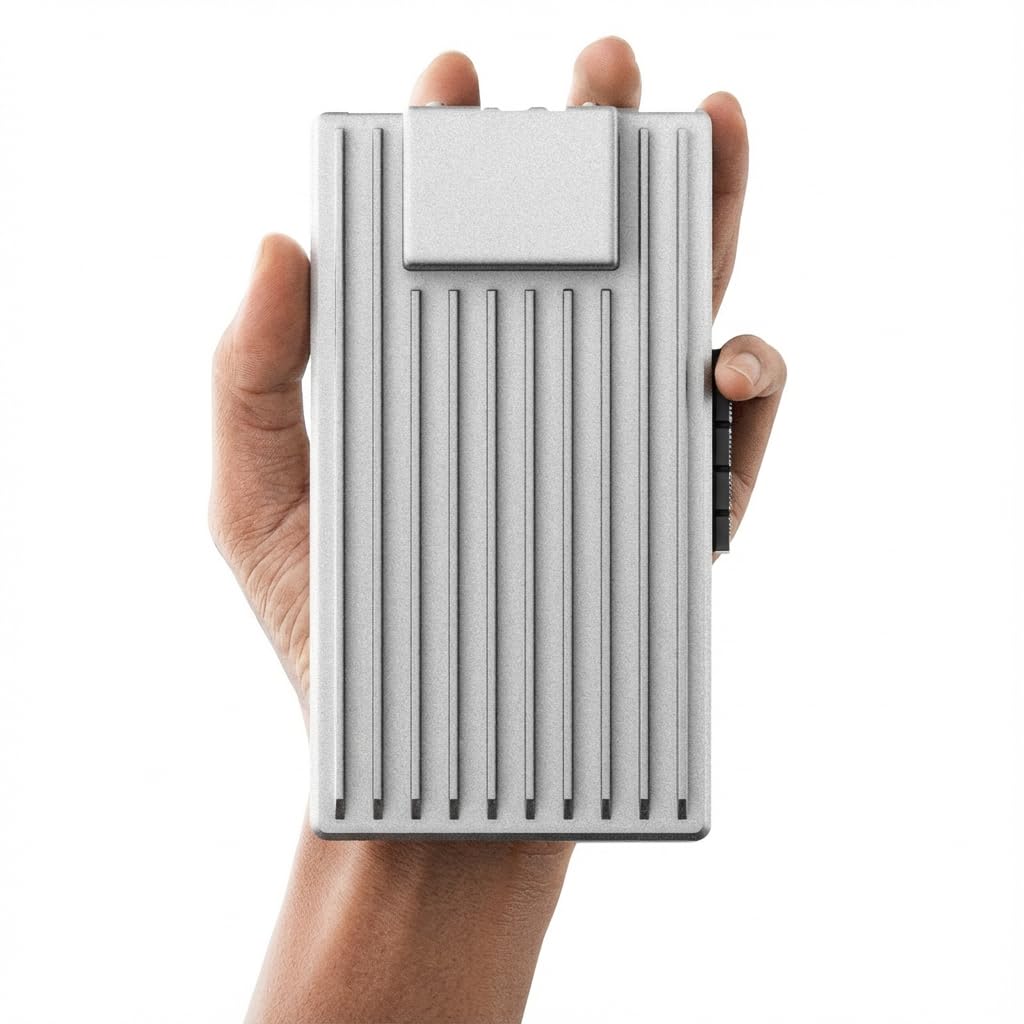
ZimaBoard 2 1664 x86 Home Server, Quad-Core N150, 16GB DDR5, 64GB eMMC, PCIe 3.0×4 Expansion, Dual 2.5GbE & Dual SATA3.0, Low
4.5 | 393 ratings
Price: 399.9
Last update: 05-16-2026
About this item
- 【High-Performance Private Server】 Powered by the Intel N150 processor with 16GB LPDDR5 RAM and 64GB eMMC, ZimaBoard 2 handles multi-user file access, home backup, and small office workloads smoothly. Ideal for users who want fast response without complex setup.
- 【Fast & Stable for Daily Use】 3× faster CPU performance makes opening large folders, photo previews, and 4K streaming much smoother. The dual 2.5GbE ports provide two independent high-speed channels—perfect for multi-device data access and ideal for building a home firewall, soft router, or bypass router setup. Even with one port for WAN and one for LAN, your network remains stable during heavy downloads, backups, and streaming.
- 【ZimaOS Private Cloud Ready】 Preinstalled ZimaOS gives you a clean, ad-free private cloud: file dashboard for all storage sources, automatic device backups, P2P downloads, private photo/video sharing, and 500+ app plug-ins. Supports local AI features securely—your data never leaves your home.
- 【Flexible DIY Expansion for Future Upgrades】 Easily add more storage and functions: The PCIe 3.0×4 slot isn’t just for NVMe SSDs—it's designed for true DIY flexibility. You can add large-capacity NVMe storage or install multi-port network cards to build a more advanced firewall or soft router setup. SATA for HDD arrays, and USB 3.1 for external devices. Build your own NAS, firewall, Docker cluster, or small homelab server without replacing the hardware later.
- 【2-Year Warranty & Reliable Support】 Comes with a 2-year warranty, 24/7 technical support, and hassle-free returns. Whether it's packaging damage, product issues, or wrong shipments, our team will make it right—your experience is always protected.
Top reviews from the United States
- NixonzpfSense on ZimaBoard 232 solid so far!I bought my Zimaboard 232 for a pfSense project, to build a dedicated site-to-site Wireguard tunnel between my data core pfSense router and a new remote node. As a long-time Raspberry Pi builder, I was really excited by the possibilities of the Zimaboard.
My first impression was that the coolness factor is just off the charts. The heatsinks look sweet. No fans. Dual NICs, PCIe slot, how cool is this! The chipset even supports AES-NI CPU crypto, which is really important for VPN routers (even though I don’t get to take advantage of that with Wireguard). The possibilities are vast with this thing. For my application, I added rubber feet to stabilize it on a flat surface. The Zimaboard has enough weight to make it stick to a desktop nicely with the added feet. I’m a bit surprised this wasn’t included with it.
Installing pfSense was exactly as it usually is (F11 key to enter boot device selection to boot from USB). It went quick with no surprises. It assigned the two NICs to re0 and re1, left and right ports on the rear of the Zimaboard respectively. I have read online that pfSense sometimes has issues with Realtek NICs, but after 3 weeks of heavy traffic utilization, I have had zero glitches. I have not had to disable hardware checksum offload in pfSense. Solid.
I have pushed close to 10 TB of data through my Wireguard tunnel in the last 3 weeks, and it hasn’t missed a beat. The processor keeps up with Wireguard throughput up to around 150mbps very well. I will attach a screenshot of the pfSense dashboard that was captured after a large file transfer had been running through the Wireguard tunnel for about 10 minutes at around 80mbps. This is perfect for my application.
It also comes with some very cool stickers, which I just love. Nice touch.
Rock solid on pfSense so far. So cool! - RoundelMikeVery Capable Little Computer - Passive Heatsink is ExcellentI bought the ZimaBoard as a small server for my barn which lacks heating and air conditioning. The ZimaBoard's big heatsink looks perfect, and removes the possibility of a fan failing in the harsh environment. It hasn't faced summertime heat yet, but it runs cool so far. I'll update this review if something goes wrong when the hot weather arrives.
It seems like the ZimaBoard would be comparable to the Raspberry Pi 4, but as much as I love the RasPi and the company's mission, the ZimaBoard is really in a different league. It seems snappy, and my benchmarking confirms it: The ZimaBoard is much faster, and it runs amd64 architecture which is nice. It has a bigger footprint than the RasPi, but it's still tiny. Quality is far nicer than I expected at this price point, and it feels heavy and solid. So far so good. It appears that this will be a great little headless server, and might even have enough grunt for desktop use.
UPDATE 07/23/2023:
It's summertime and my ZimaBoard has stayed up without a hitch, even in an environment without air conditioning. This week I moved 7TB of data through it with rsync, which caused a continuous load of about 35% CPU usage for 24 hours, and it handled the task, no problem. And this was during a heat wave with 100°F (~38°C) daytime temps. Once the CPU nears 50°C it throttles down, keeping temps in check, and without much performance hit in my case. Turns out, the ZimaBoard is as rugged as it looks, and the passive heatsink does its job, even in the heat.
UPDATE 08/05/2024
It's been two snowy winters and two very hot summers and my Zimaboard has been rock solid, all without climate control. Aside from reboots from updates or the occasional power outage, it's been up and available, no hiccups, no drama. During an especially frigid stretch last winter I threw a shoebox over it for a couple days, but I doubt if it even needed it. I always know that when I SSH over to it, it'll answer. Couldn't be happier. - Bartosz SidorskiVery outdated buildOverall the device is okay however the device came with several issues which had to be fixed straight off the bat.
The CasaOS version was several revisions out of data arriving with version 0.4.1, the current version being 0.4.9. I was wondering why it was so out of date and then I noticed that apt was giving me key signature errors.. I was like okay that doesn't seem great. Turned out that the date was so incorrect the ntp server was rejecting the connection from the device. I had to set the ntp sync to manual, manually adjust the date and then set it back to manual and reboot the service. Once that happened I had 557 out of date packages. After rebooting the zimaboard, I resolved most of the update issues like fixing the samba config, updating the casaos image and fixing broken packages.
The overall security by default is pretty abysmal so I highly suggest to setup the device with no ports forwarded/exposed on your network.
All in all the product is good just as long as you know your way around linux administration and troubleshooting as you may run into problems. - dasigngalGreat NASHave had this unit for the better part of a year and it works great. Initially I had issues with the CasaOS software that came with it. Couldn't get any support, which was very disappointing and cost me a lot of wasted time trying to figure out myself. About a week or so later a software update came out which fixed the issue. Since then, I have enjoyed the unit. One gripe I have is when using the SATA connector, it won't recognize existing data on the drive. So it needs to be blank or it needs to be reformatted. With the USB ports, this is not an issue. Otherwise, the unit has fast data transfers. Also, I recommend using a third party software like Tailscale to be able to securely access the connected drives remotely. This setup is far superior to the Synology I had before it. Its also very quiet.