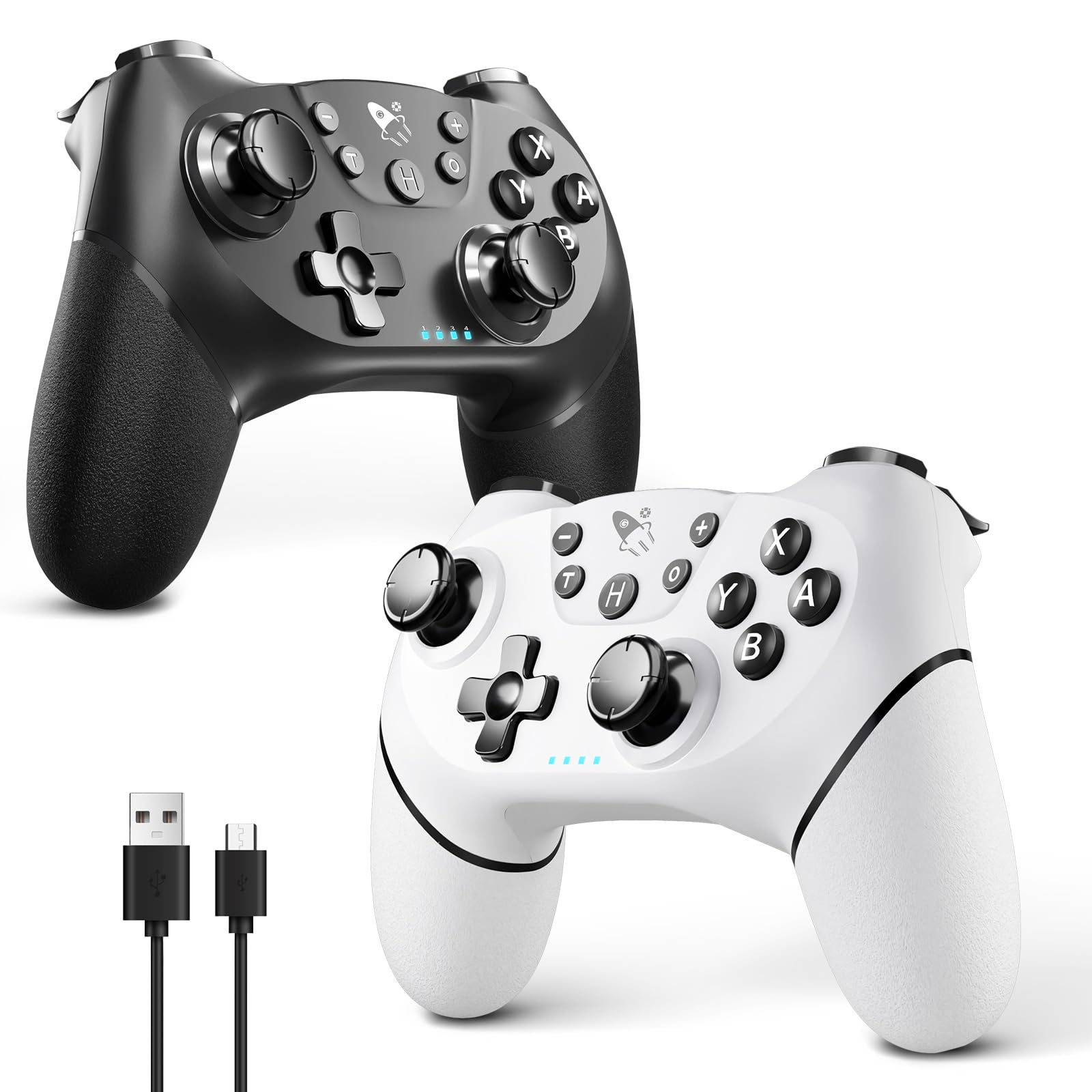
AceGamer Wireless Pro Controller for Nintendo Switch/Lite/OLED/Switch 2/PC, 2 pack, Dual Vibration/Turbo/Ergonomic ! (Black&W
4.6 | 646 ratings
Price: 24.98
Last update: 03-05-2026
About this item
- ????【2 Packing For Switch Controller】Two controllers are packaged in one box, which is less costly than buying two controllers separately. You can get two different custom designed controllers at the same time, which is very cost-effective.This will bring you a better game experience when you play with your friends, lover, family.
- ????【Multiple Compatibility】AceGamer Wireless Controller for Switch Pro is fully compatible with Switch/Switch Lite/Switch OLED/Switch 2/PC, also compatible with Windows PC and Android Phone, and perfectly compatible with games. No need to install any driver.
- ????【Stable Wireless Connection】The Controller for Switch provides stable and reliable signal without delay or drop-off within 8-10 meters.After the first time pairing with switch console, you could simply press the HOME button on the controller to wake up both the controller and the game console, even if the console is in sleep.Please read the user manual first before pairing.'Note': can't wake up Switch 2 console with a single click.
- ????【Gyro Sensor&Dual Vibration】The Wireless Controller for Switch Pro with the 6-axis gyro sensor, can detect the inclination of the controller and make a quick response, dual analog sticks and expansion triggers provide precise movement control. And dual vibration motors that provide you excellent vibration feedback to enhance the game immersion.
- ????【Ergonomic Non-Slip】AceGamer Wireless Controller for Switch Pro based on ergonomic and designed to fit your hands perfectly, and light weight construction easier to grip than other controllers.The anti-slip design of silicone grip allows you not to worry about the influence of sweat on your game control, so that you can enjoy the game happily and comfortably for a long time.
- ????【How to connect SW 2?】1. Find the controller settings and click “Change grip/Order.”2. Press and hold the controller's “HOME” button for 3-5 seconds until the LED light flashes.3. Once the controller and host are paired, LED1 will remain lit.
Product information
Features & Specs
| Compatible Devices | Nintendo Switch, Nintendo Switch 2, PC |
|---|---|
| Controller Type | Gamepad |
| Connectivity Technology | USB |
| Additional Features | Ergonomic, Motion Sensing, Multiuse, Rumble, Wireless |
| Button Quantity | 12 |
| Hardware Platform | Gaming Console, Nintendo Switch, Nintendo Switch 2, PC |
| Power Source | Battery Powered |
Additional details
| Color | B&W |
|---|
Warranty & Support
Product Warranty:For warranty information about this product, pleaseclick here
Feedback

AceGamer Wireless Pro Controller for Nintendo Switch/Lite/OLED/Switch 2/PC, 2 pack, Dual Vibration/Turbo/Ergonomic ! (Black&White)
Share:https://www.amazon.com/dp/B0DQNNFKRG
Found a lower price? Let us know. Although we can't match every price reported, we'll use your feedback to ensure that our prices remain competitive.
Where did you see a lower price?
Fields with an asterisk*are required
Pleasesign into provide feedback.
Item details
| Brand Name | AceGamer |
|---|---|
| Manufacturer | AceGamer |
| Best Sellers Rank |
|
| ASIN | B0DQNNFKRG |
| Customer Reviews | 4.64.6 out of 5 stars(558) 4.6 out of 5 stars |
Measurements
| Item Weight | 0.53 Kilograms |
|---|
Top reviews from the United States
- Amazon CustomerSolid wireless controller for Nintendo SwitchPairs easily and works right out of the box.
Buttons are responsive and comfortable for longer play sessions.
Good value alternative to the official controller. - JMacFPVConnecting a Controller to Your Original Nintendo SwitchForget those confusing official instructions—they're pretty much worthless for this. Here's a straightforward way to get your controller hooked up to the original Nintendo Switch. I'll walk you through it step by step.
1. **Enable Wired Communication on the Switch**: Head into the System Settings menu (it's the gear icon on the home screen). Scroll down to "Controllers and Sensors," and toggle on "Pro Controller Wired Communication." This lets the Switch recognize wired controllers properly.
2. **Hook Up the Cable**: Grab a USB cable and plug one end into the back of your Nintendo Switch TV dock (the USB port there). Connect the other end directly to your controller. Make sure everything's snug—no loose connections.
3. **Prep the Controller Pairing**: From the Switch's home screen, go to the "Controllers" option (it's at the bottom). Then select "Change Grip/Order." If your Switch isn't already docked, go ahead and dock it now—this helps with the connection process.
4. **Activate Pairing Mode on the Controller**: Press and hold the "H" button on the controller (it's usually the home button). Keep it held down for about 5 seconds until the blue lights numbered 1 through 4 start flashing back and forth quickly. That's your sign it's ready to pair.
5. **Finalize the Connection**: Once those lights are flashing, press the L and R buttons on the controller at the same time. The Switch should detect it and sync up. Give it a second—if it doesn't connect right away, try holding the buttons a bit longer or restarting the process.
### Pairing the Controller to Other Devices via Bluetooth
If you want to use this controller with something else, like a PC, phone, or another console, it's super easy. Just press and hold that same "H" button for about 5 seconds to kick it into Bluetooth pairing mode. The lights will flash to let you know. Then, on the device you're connecting to, go into its Bluetooth settings, scan for devices, and select the controller when it pops up. Boom, paired.
Once it's connected—whether wired to the Switch or Bluetooth to whatever—it performs like a champ. No annoying stick drift, no noticeable lag, just smooth gameplay. The build quality is rock-solid too; it feels premium in your hands, like it could survive a frustrated toss or two across the room and keep on trucking. Definitely worth it if you're looking for a reliable alternative. - Jessie B.Great Product!Very glad I purchased. Pairs well with my switch, no problems at all. Great price, Great Value.
- Paul Chipman, IIGood deal and good controllerThese controllers are great. I was initially skeptical since I tend to buy only Nintendo made controllers. However the price is well worth since it came with two. Does it feel slightly different from the pro controller? Yes, but your kids won't notice. I got it for my young boys and they have no issues. It connected easily to my Switch and the battery last for quite awhile.
- SlicePrintRoleplayFantastic for the Price!I got the Black/White 2 controller combo. At the time of this review it was about $25 for both.
Design 4.5/5.
They look clean with a very classic layout.
Construction 3/5.
They don't feel super cheap but they are a bit light. I don't feel confident that they'd survive more than one or two hard falls.
Button Feel 3.5/5
The buttons are fine but are a little mushy. With the Z triggers being the worst. But nothing unusable and I stopped noticing it after a few minutes.
Button/Stick Responsiveness 5/5
No lag or drift and the IR/wireless pointer function works well.
Ease of Use 5/5
They were extremely easy to connect and we've had no issues with them disconnecting.
Value 100/5!
Seriously for $12.50 a piece these are so much better than I was expecting! - David mccroskeyGreat controllers!Good controllers at a fraction of the price than the licensed product. The battery life on them are great and they are easy to pair to the Switch 2. As far as I can tell, there isn't any lag. We play alot of smash brothers, Mario Jamboree, and Mario Wonder, all party games and works as well as the joycon controllers.
- DizzySturdy and good.I had these controllers for a good while, and they feel sturdy and function pretty well. It also have a turbo mode in case I want to do something else while my game is doing random stuff. And so far, it has broke on me yet. This is a fantastic controller for the price.
- ToshaSome major and Minor issues. So far good customer support.Initially this product worked great. However, after only a month of use one of the controllers will not charge. Unfortunately, this product is not eligible for returns at this point. I did leave a customer support message with the company, but have not yet heard back.
Update:
I did leave some feedback on the seller's website and my wife did receive a prompt call. They were willing to send us a replacement controller since it had been less than a year since purchase. I am going to up the star rating to three pending good performance of the replacement controller.
Update: The replacement controller has worked great thus far. This was a pack of two. The other controller that did not have charging issues has developed a drift in the left control knob. This makes it so that some games cannot be played. I am hoping that we will get a replacement for this one as well.