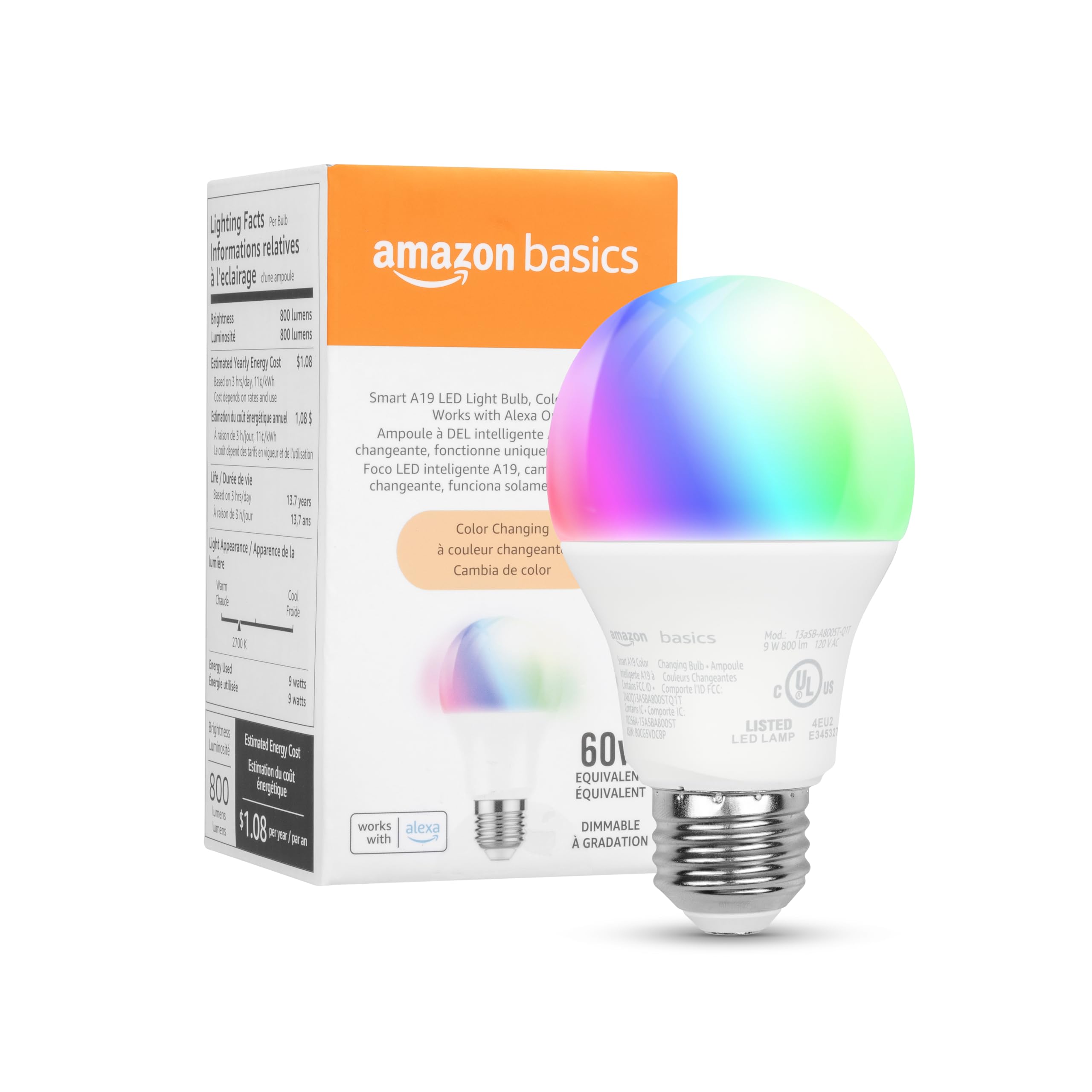
Amazon Basics Smart A19 LED Light Bulb, Color Changing, 9W (60W Equivalent), 800LM, Works with Alexa Only, 2.4 GHz Wi-Fi, No
4.5 | 37,629 ratings
Price: 11.39
Last update: 01-30-2026
About this item
- SMART UPGRADE FOR CONVENIENCE AND ENERGY EFFICIENCY : Control your Amazon Basics smart light bulbs using your voice or via the Alexa app, no more turning on/off each individual light switch. Create custom routines to schedule your lights automatically at sunset and sunrise and save energy. You can change colors of your lights for a movie night with family or friends. Works Exclusively with Alexa. Not compatible with Google Assistant, Apple HomeKit, Smart Things.
- SIMPLE TO SET UP WITH ALEXA: Screw in the light bulb, open the Alexa app, and get started in minutes as you get notified “ First light bulb found”. Otherwise, you can add the smart bulb directly from Alexa app. No hubs or 3rd party apps or skills required. For zero touch set up experience, check “Link device to your Amazon account to simplify setup” during checkout and get started with your smart bulb in no time. Note: Amazon Basics smart light bulbs work exclusively with Alexa to be set up with 2.4GHz Wi-Fi only.
- TRANSFORM YOUR SPACE WITH BRILLIANT COLORS: Create your perfect mood by choosing from 16 preset color selections and brightness levels from 5% to 100%. Have best moments during holiday festivities or gaming with friends or movie nights with family with different colors. Just say “Alexa, set the hall lights to purple”. Note: bulbs are dimmable via Alexa app or voice control only (not compatible with a physical dimmer.)
- CONTROL FROM ANYWHERE: Control your smart lights with Alexa app even when you are not at home e.g. from your car, office, gym. Feel secure by making your house look occupied even when you are away by creating an Alexa routine to schedule lights to turn on and off automatically.
- GROUP CONTROL: Create groups in the Alexa app to combine lights together, allowing you to control lights by each room, or all of your home lights with a single voice command or via app. When it's time to sleep, just say “Alexa, turn off the bedroom” OR use the Alexa app to turn off the bedroom lights at once.
- SUITABLE FOR EVERY ROOM: Upgrade your home by adding smart lights to every interior space, including damp locations like bathrooms.
Product information
Features & Specs
| Light Type | LED |
|---|---|
| Additional Features | Dimmable, Voice Control |
| Wattage | 9 watts |
| Bulb Shape Size | A19 |
| Bulb Base | E26 |
| Incandescent Equivalent Wattage | 60 Watts |
| Light Color | Color Changing |
| Voltage | 120 Volts |
| Color Temperature | 2700 Kelvin |
| Brightness | 800 Lumen |
| Indoor Outdoor Usage | Indoor |
| Power Source | Electric |
| Power Consumption | 9 Watts |
| Light Source Type | LED |
| Light Source Wattage | 9 Watts |
| Accepted Voltage Frequency | 100 to 120 Volts and 60 Hertz |
| Control Method | App |
| White Brightness | 800 Lumens |
| Efficiency | High Efficiency |
Warranty & Support
Amazon.com Return Policy:Amazon.com Voluntary 30-Day Return Guarantee:You can return many items you have purchased within 30 days following delivery of the item to you. Our Voluntary 30-Day Return Guarantee does not affect your legal right of withdrawal in any way. You can find out more about the exceptions and conditionshere.
Feedback

Amazon Basics Smart A19 LED Light Bulb, Color Changing, 9W (60W Equivalent), 800LM, Works with Alexa Only, 2.4 GHz Wi-Fi, No Hub Required, 1 Pack
Share:https://www.amazon.com/dp/B0CG5VDC8P
Found a lower price? Let us know. Although we can't match every price reported, we'll use your feedback to ensure that our prices remain competitive.
Where did you see a lower price?
Fields with an asterisk*are required
Pleasesign into provide feedback.
Item details
| Brand Name | Amazon Basics |
|---|---|
| Number of Items | 1 |
| Model Number | 13aSB-A800ST-Q1T |
| Manufacturer | Amazon |
| UPC | 840324408744 |
| Best Sellers Rank |
|
| ASIN | B0CG5VDC8P |
| Customer Reviews | 4.54.5 out of 5 stars(37,627) 4.5 out of 5 stars |
Measurements
| Unit Count | 1.0 Count |
|---|---|
| Package Quantity | 1 |
| Item Weight | 1.44 ounces |
Additional details
| Material Type | Copper |
|---|
Style
| Shape | Arbitrary(A) |
|---|---|
| Theme | Rainbow |
Top reviews from the United States
- Osiris GuzmánGreat value for the priceThe Amazon Basics Smart LED Bulb A19 is an excellent choice for anyone looking to upgrade their home lighting easily and affordably. It connects smoothly with smart home systems, allowing convenient voice and app control. The brightness is well-balanced for everyday use, and the setup process is quick and simple. Overall, it offers reliable performance, good light quality, and great value for the price.
- Prime_Shopper_2017Seamless integration of light bulb with AlexaExcellent quality Smart LED Bulbs. Took a few minutes to program and everything went smoothly. There are so many options which make the bulb perfect for any room in the house. These work seamlessly with Alexa. The color options are fun. The purple color is really nice, relaxing. I recommend buying this to replace your standard size light bulbs when you are already using Alexa.
- BuddingtwigsNice for the right situation, when a smart switch or dimmer is not availableI finally tried one of these smart bulbs. I have many smart switches and devices in my house but most all of my light switches are dimmer switches (and most are not LED dimmer compatible either) so i haven't tried one of these until now. My hallway/stairway light only has a switch at the top of the steps. It doesn't bother me but my guests are often freaked out. Decided i'd put this bulb in that ceiling fixture and i could set a timer to have it on as soon as it's dark. I love the dimming and color choices and it works flawlessly with the app. Using with voice control on my echo devices is very wonky (but that often does not work even playing music, and i tend to connect my phone to the echo via bluetooth to play music or else Alexa does whatever she pleases when i ask by voice). So far if i ask Alexa to turn this light on, she says she can't connect and then i ask a second time and it comes on. If i use the app, it comes on immediately. However if i ask alexa to turn my lamps on which are controlled by Govee switches, it's immediate with no glitch, so it must be something with the nature of a smart bulb vs a smart switch. Definitely not a deal breaker for me as i generally prefer using the app to speaking.
- Joseph SottileEasy setup, but WiFi retention and setup problems with Amazon eero WiFi mesh networkWhen the bulb sets up properly, it works well. However, the first set of four bulbs I bought (two years ago) have had sporadic problems retaining their configuration for WiFi, color and brightness after recovery from our (unfortunately) frequent power outages (we experienced >40 outages totaling over 228 hours in 2024 alone!), and one or two of the bulbs needed to be re-added as a new device every few times we had power outages.
Eventually, one of the bulbs fully stopped being able to be set up--it would not go into reset mode, despite many attempts at the reset procedure that I am VERY familiar with, having had to execute it maybe a dozen or more times in the two years I had the initial set of bulbs.
So I ordered a replacement box of four, figuring I would toss out the defective one and have some spares in case another one was defective. The first new bulb I tried to set up (and I tried 12-15 times total before finally giving up) flat out would not find the 2.4GHz WiFi networks (an eero mesh network with two SSIDs with different passwords) in my home--see the included photo of the WiFi selection screen. Resetting Bluetooth on the phone, resetting WiFi on the phone, resetting the phone, resetting the eero mesh network, resetting the main wired router, and resetting the internet connection ALL failed to alter the behavior. The bulb simply never found ANY WiFi networks. We're physically distant enough from the nearest neighbor that there was no interference from other WiFi networks, and my signal strength within 5 feet of the bulb was full, as is seen in the attached photo. After 12-15 total attempts, I gave up trying to set up the first of four bulbs. The second one I tried set up with no problems, so the issue was clearly a defective bulb, not environmental.
Even though I did not plan to put the remaining bulbs into service yet, I tested them out to make sure they were not defective like the first one was, and BOTH of the remaining two exhibited the same defective behavior--would not find/show any WiFi networks to connect to. I'm returning the defective units for a replacement, but I am not hopeful I will have much better luck with the replacements. So to recap, three of four in one box were unable to find any WiFi networks, despite the WiFi signal being strong and having no interference.
In short, when they work, they work well and I am mostly happy with them (though I wish there was a custom color wheel like some other bulbs offer, and I wish the preset colors were a closer to what they appear on the Alexa app screen), but the reliability is still not there.
Also, I wish there was a way to configure them so that they would *NOT* automatically turn on following a power outage. I realize that when they think they have been reset, they will come on at full brightness in one of the white shades, but if the power fails and comes back, or power browns out in the middle of the night, it takes several minutes before the Internet, main router, WiFi routers and Alexa are back online sufficiently to turn the bulbs off again, which pretty much means that everyone wakes up--we use them in the nightstand lights in our bedrooms.
I know these are "Basics" but the reliability needs some work.
UPDATE! UPDATE! UPDATE!!!
I did some poking around online and discovered that the problem is my too-smart-for-its-own-good Amazon-branded eero WiFi mesh network, which broadcasts a single, unified SSID for the 2.4GHz, 5GHz and 6GHz bands, and therefore trips up these not-so-smart Amazon-branded WiFi Smart Bulbs, and simply don't display ANY network selections OR MANUAL NETWORK CONFIGURATION UI IN THE ALEXA APP when they're provisioning using the Alexa app. Way to go, Amazon, making products that don't work together! The solution is to use the eero app's Troubleshooting page (Gear Icon "Settings" in the lower right, then "Troubleshooting" tile), and tap the "My device won't connect" tile. From there, use the "My device is 2.4 GHz only" tile, and finally the "Temporarily pause 5 GHz" button. Work quickly, because even though this pause is allegedly 30 minutes, and provides a comforting countdown timer, I have found that after 4-5 minutes, the eero CLAIMS it is still in the pause mode, but the bulb reverts to responding as though the 5GHz band is active again, and doesn't display any networks to connect to or any way to manually enter a network SSID.
A side-effect of that solution is that a LOT of "smart" devices that *ARE* connected using 5 GHz lose their connections, so they have to be power-cycled once the 5 GHz band has been resumed (manually using the "Cancel" button where the "Temporarily pause 5 GHz" button was, or by the expiration of the 30-minute pause timer). I recommend using a Guest network that is restricted to 2.4GHz and connecting your 2.4GHz-only devices, like the current revision of these bulbs, to that guest network.
In all...pretty clunky, and not friendly, Amazon, and it cost you two-way shipping to get me a replacement set of four bulbs, because none of the four I ordered initially connected to WiFi, so I figured they were verkakte and exchanged them for a new box of four bulbs.
Please try to get your hardware engineers and software engineers in your different product lines to test interoperability of Amazon-branded devices you send to market. There's no good excuse for having the trouble-free configuration steps depend on customers having old technology or disabling features in their new technology. - Utsav shahGood for useExcellent smart bulb. Easy to set up, connects quickly to Wi-Fi, and works perfectly with the app. Bright light and great features.
- JBLights randomly turn on during the nightI really loved these bulbs to start with. We added them to a family member’s room who isn’t mobile, so they could turn the lights on and off by voice. For that purpose, they work perfectly. Voice control is fantastic and the lights even dim on and off, which is pleasant.
**Update** We learned how to turn off the setting that causes the lights to turn on and off. Not only do you need to turn off the Away mode settings in general, you have to open the settings for each individual light and again turn off the away mode. Away mode is enabled by default and randomly turns lights on or off to create the illusion that someone is home. Changing to 5 stars.
** no longer applicable! **
Now for the negative, for some reason the bulbs randomly turn on and off through the day and night. When looking into the issue, there is no voice command for it nor any log suggesting it was turned on by accident, routine, or any command. We have been unable to fix the issue after going through all troubleshooting steps. So I am going to switch to a smart zigbee plug that should work as intended. - JeffLights and connects quickly. Alexa likes these.Perfect! Easy to set up. Almost automatic. No waiting when trying to connect. I like them. I use them throughout the house with Alexa.
I tried other brands too. Not as receptive to Alexa like these are. I like not having to fiddle with them to get them to work. For those that know what a frustrating time other brands are. But not with these! Perfect!