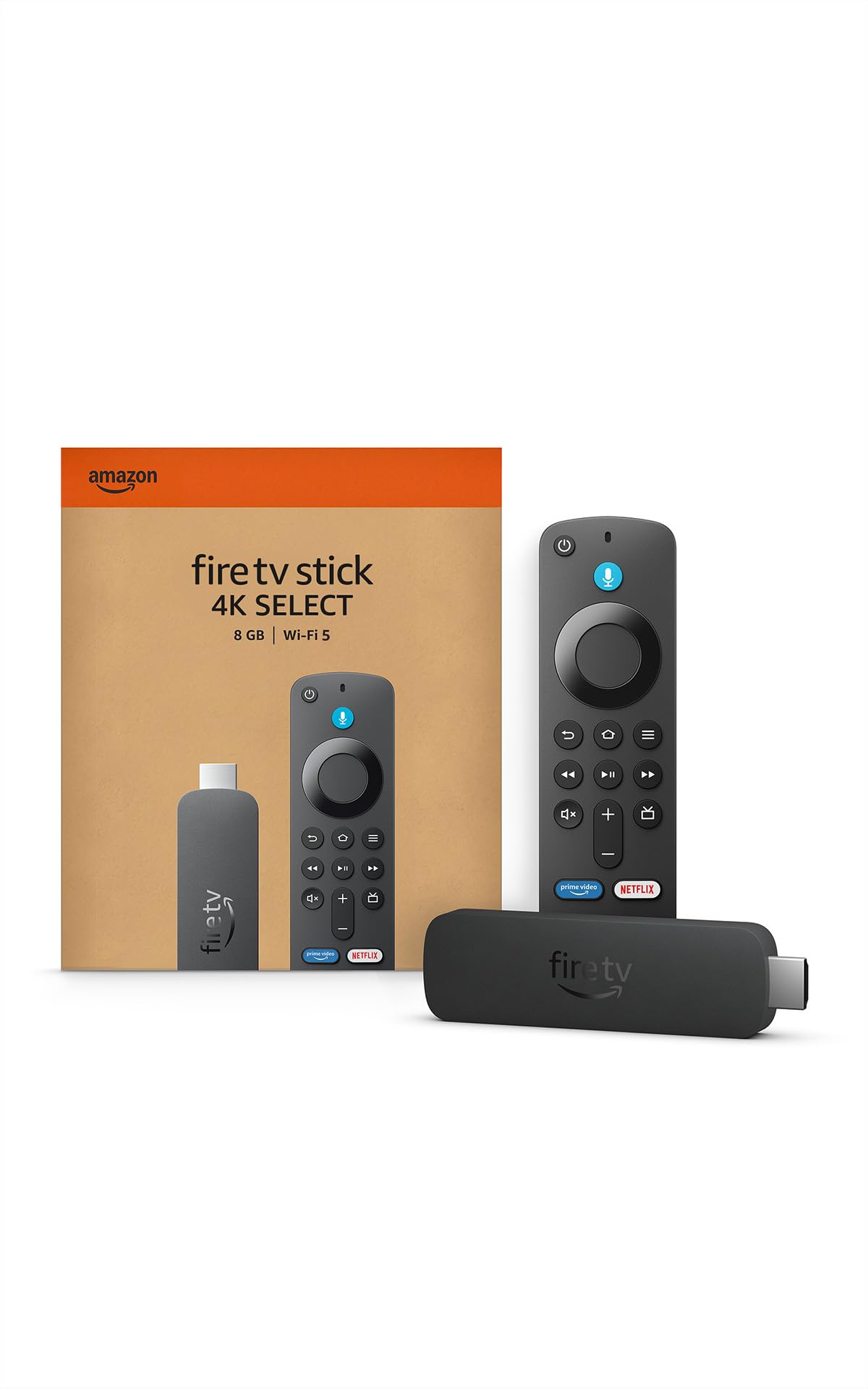
Amazon Fire TV Stick 4K Select (newest model), start streaming in 4K, AI-powered search, and free & live TV
4 | 3,816 ratings
Price: 39.99
Last update: 02-02-2026
About this item
- Essential 4K streaming - Fastest 4K stick under $40.
- Tailored for you- Fast performance with personalized recommendations and Alexa built-in.
- Stream 1.8M+ shows and movies - Including 400K+ free episodes*" *Subscription fees may apply.
- Quick setup - Just plug in and connect to Wi-Fi.
- Just ask Alexa- Press to search and play with Alexa.
- Coming Soon: The new Alexa Fire TV experience - Natural conversation for entertainment and smart home control.
- Game Without Limits - Play Xbox games via cloud gaming even if you don't have a console - Stream popular titles like Forza Motorsport, Starfield, and hundreds more.
- Control your smart home with Alexa - Check weather, adjust lights, play music, and more.
Top reviews from the United States
- CeliaPICTURE AND EASE OF INSTALLThis is an excellent product. I utilized the USB adapter due to compatibility issues with my older television model. The connection and operation were straightforward. Remote comes with batteries that last quiet a while. I accidentally put a PIN on it, that was a bit frustrating to do for the fact that it doesn't show the pin, it only has like 4 numbers to chose from, you always have the option to push the middle big button as well for pin. Adding a new or pre-existing account is easy. I added my regular Amazon Prime account. Very easy. It has a QR Code you can scan to add your prime account to the fire stick. Has great shows. Its actually a bit louder than my regular TV. I love it. Highly recommend it. I was against it prior to purchase, only for the fact that I didnt want to struggle with the set up, I regret not having bought it sooner, thats how easy it was. In setup, itll tell you to move the volume up and down, I believe where you leave it set up? Thats what your volume for the shows will be on. I left mine at 24 and my TV is loud while on fire stick. No buffering, no glitching. I also plugged into wall putler. Speed is fast. I have spectrum cable. Remote is thin and small but big enough to handle with ease. Great design.
- Customer ReviewFireTV Stick 4K Select is GREAT -- ignore the sideloading nonsenseBought this new FireTV Stick 4K Select with the brand new linux-based VegaOS. Cost me like twenty-two bucks after eighteen dollar discount - great value for the money. Yes this has the new linux-based Vega OS which looks the same as the regular android-based FireOS -- but NOT able to sideload unofficial android apps which are NOT in the approved official firetv apps store. IF you do NOT sideload unapproved apps, then the new VegaOS-powered FireTV Stick 4K Select will seem to be all the same to you. Yes Looks All The Same To Me -- just like on my other FireTV sticks & cubes. Oh I no longer do the sideloading nonsense & therefore NO COMPLAINTS from me. Easy to set up! Streams Great! Remote control same as expected. Plug in & functions as expected. Thanks So Much Amazon!
- SportutegirlLimitations beyond sideloading, but probably still the future.Preface:
I've used FireTV devices for quite a while now, and have learned to appreciate what separates them from their competition, but also some of the annoying quirks that they struggle with sometimes. This device, with VegaOS manages to do away with most of the quirks, but also takes away some of the reason why I buy FireTV devices in the first place.
Hardware:
I'll get this out of the way quickly, since it's basically unchanged and is perhaps the least-impactful aspect of any Fire TV device. Yes, it has a micro-USB port for power, get over it. Amazon probably has a warehouse full of them, and for a connector that you plug in once in a device's life... it's not really impactful. People will always fuss about the lack of USB-c, but they're missing the point. The remote is nicer than my previous remotes, seems more solidly built and feels better in the hand. Unsure how it'll last, but maybe it'll make less creaky noises after a year of service than previous remotes.
Software:
This is the big one, and I'm approaching this from someone who has been thoroughly annoyed by various quirks on past FireTV devices. Yes, this device doesn't support sideloading, but to be honest, the only time I sideloaded, was to put the steamlink app onto a FireTV. Everything else I wanted was available from the Amazon appstore. Valve eventually was able to put the steamlink app onto the appstore, and I fully expect they'll make it available again in the coming months - even Amazon's Luna and Xbox's cloud streaming apps aren't available so I'm guessing Valve isn't late... so far.
My previous Fire TV devices have experienced endless oddities, such as apps crashing to the homescreen, or navigating the menus slowing down for no good reason. It's annoying, and buggy... and I suspect it's to do with android as this device does none of that. It works and it works pretty reliably as far as I can tell. There's no slowdowns and no responsiveness issues, which is sublime.
Software support:
This is the biggest complaint I can levy against the device and the reason why I dropped a star. I would have dropped more, but I expect these issues to be fixed in the coming weeks (hopefully not months). Codec support is subpar on this device. It's dropped support for the VC-1 codec and Dolby Vision, something that people who made home videos on windows, or who rip blu-ray disks might use to stream media to this device. Now you have to transcode it to HEVC, AVC, or AV1, which is an inherently lossy process. To be honest, most people won't care about this, unless you use Plex, Jellyfin, or Emby.
Audio is in a worse state, with no local decoding of TrueHD, or DTS-HD MA audio codecs. Thankfully I've started pre-processing my personal media server's libraries into PCM/WAV audio, mostly because previous FireTV devices struggled with it too - I wish I didn't have to waste that much space on it, or that I could use FLAC, but they only support 2-channel FLAC, not 8-channel (needed for 7.1 surround audio).
Perhaps the worst issue with codec support however, is that Plex cannot even utilize the full capabilities of this device for some reason. The attached pictures shows the intro to Tron: Legacy being bit-crushed to mush (just look at the macro-blocking at the top and bottom of the frame), because as the picture of Plex Dash shows, it's transcoding a 28mbps Blu-Ray rip to 8mbps.
This is why I've always used FireTV devices in the past: if you look at the developer website from Amazon for any other FireTV device, you'll see a codec list as long as my arm - It's great! But this device cuts it down to only a handful.
Ancillary stuff:
The device was very easy to set up. Since I setup previous Amazon devices and allowed them to "Save Passwords to Amazon", this device was able to automatically connect and log into my Amazon account with no fuss. Wi-Fi 5.0 is a little bit of a letdown, but I've not noticed any issues.
Conclusion and the future:
This probably is the future of FireTV devices. People will complain that Amazon made VegaOS to kill sideloading, but they're wrong. It's obvious this device was built to hit a lower price-point than their other devices - it's the first time a non-sale price for a 4K FireTV device has been below $50, and that's because it comes with Wi-Fi 5 and 1GB of RAM, not the 1.5GB seen in the previous 4K FireTV stick, or the 2GB seen in the 4K Max or Cube. Android was not only giving FireTV persistent bugs and oddities, but consuming more RAM for no good reason.
I would love to put this device into regular service with my family's primary TV, but I can't. I'm trying to build a larger personal media library with my media server, but I run into an issue: My personal media library cost me hundreds to thousands of dollars for the blu-ray disks I purchased for it over the years... it's not cheaper than streaming (even amortized over a decade), but it is higher quality. So I focus my efforts on maintaining that quality - it is, after all, the only advantage I have over streaming services. If this device cannot maintain that quality, if I cannot stream the high-bitrate films I have to it, then it invalidates all the work I put into that server. I'm not going to do that, so instead it will exist as a back-up until something breaks and I don't want to troubleshoot it.
If you use a media server, with high-bitrate films, I'd strongly advise against this device until Amazon and the media servers have better support for them.
If you don't use personal media, and instead stream directly from Prime Video, HBO Max, Disney, etc. it's a no-brainer. Get this, it'll be a million more times reliable. - Greg RGreat Low Cost option and a promise of new OS evolution features to come!For the sale price of under twenty dollars, it's a great streamer option! This runs the new Vega OS, and even though it got a bad start with users due to the restricted side loading compared to others, it's also very efficient (as it's intended to be) with less hardware specs required than other OS streamers (this is how Roku does it too)... So it's pretty snappy for it's low cost. If you keep your expectations in check for the low entry level pricing, it's a worthy choice! It also has features that others don't to help make up for some of its limitations... Multiple device control on/off (TV, Soundbar), deeper Alexa integration (new Alexa+ coming soon), a single dedicated play/pause button instead of having to double click, Prime and Free to watch focused menu for Prime members, and future new features as Vega OS matures... Possibly over the Android OS platform eventually...
- Duber vegaPerfectIf you have a 4K TV, you need to get this now!
This thing gives you movie quality with 4K and Dolby Atmos—no more watching shows looking blurry!
The Good Stuff:
Alexa is your assistant: You talk to the remote, and it listens. Simple and comfy.
Installation is super fast. Zero tangled cables.
You get all the streaming apps you need.
Watch Out For This:
The system is a huge fan of Amazon; it shoves their ads everywhere.
You need blazing-fast internet so the 4K doesn't freeze on you.
The Verdict: It’s the cheapest and most effective way to get your TV upgraded to full luxury and convenience. Go buy it and stop being cheap!