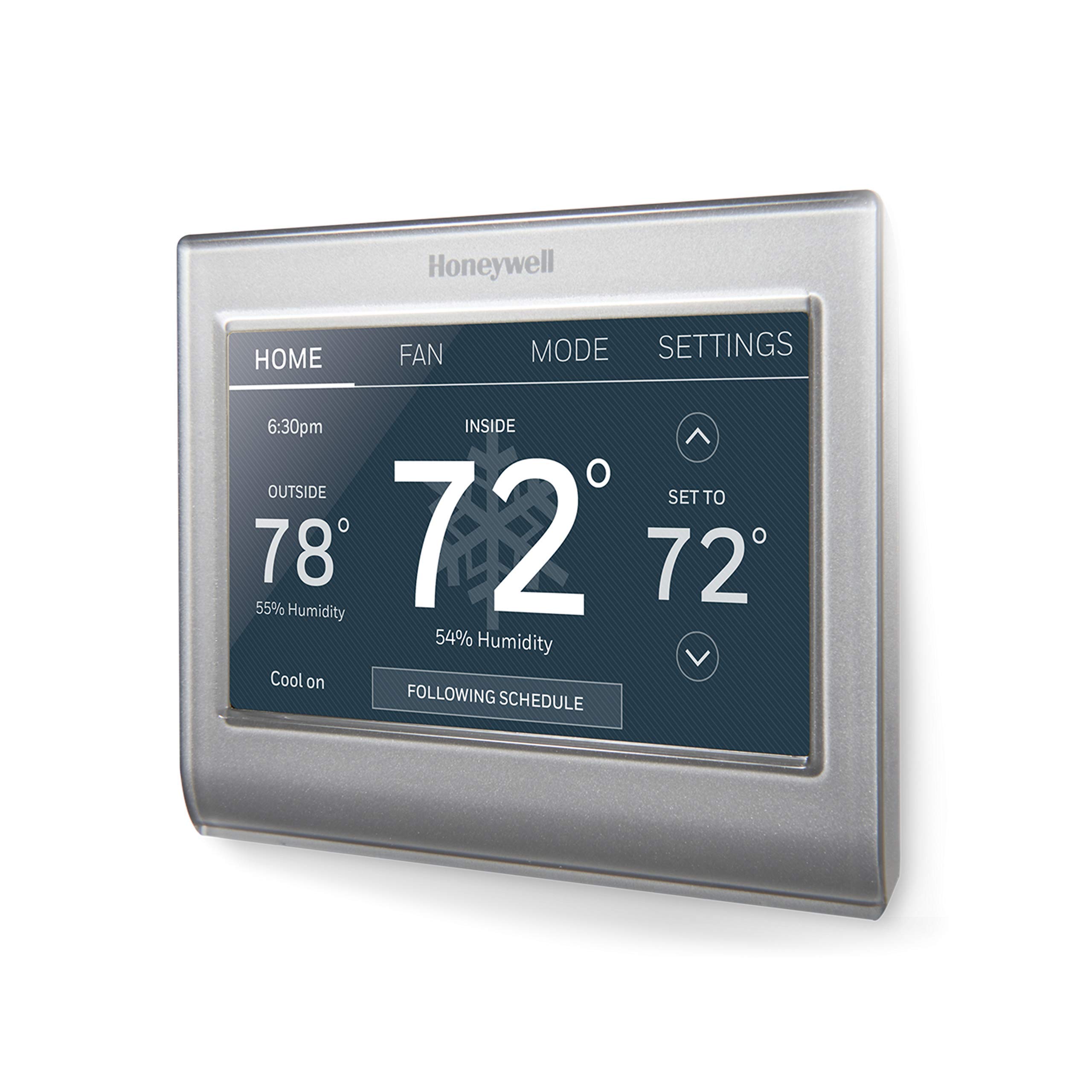
Honeywell Home RTH9585WF1004 Wi-Fi Smart Color Thermostat, 7 Day Programmable, Touch Screen, Energy Star, Alexa Ready (Renewe
4 | 670 ratings
Price: 76.46
Last update: 01-30-2026
About this item
- Compatible with: Amazon Alexa, SmartThings, Google Home, IFTTT
- Check to see If your new thermostat qualifies for a utility rebate; Auto-updates for daylight savings; adjusts for 12/24-hour and multi-language needs
- Customizable touchscreen in full Color with easy to read numbers and text, view your local weather including indoor and outdoor relative humidity levels
- Flexible programming options available based your home or small business schedule, or based on your utility ; s peak rate pricing through their demand response programs
- Receive intelligent alerts like air filter change reminders, humidifier pad replacement reminders, high/low temperature warnings, and status of internet connection
Product information
Features & Specs
| Controller Type | Amazon Alexa, SmartThings, Google Assistant, Touchscreen |
|---|---|
| Additional Features | Programmable |
| Specific Uses For Product | Humidifier |
| Temperature Control Type | Automatic |
| Connectivity Technology | Wi-Fi |
| Power Source | AC Power Supply |
| Voltage | 24 Volts |
| Display Type | LCD |
| Control Type | Temperature Control |
| Control Method | App |
| Connectivity Protocol | Wi-Fi |
| Mounting Type | Wall Mount |
| Backlight | No |
| Number of Batteries | 2 AA batteries required. (included) |
Feedback

Honeywell Home RTH9585WF1004 Wi-Fi Smart Color Thermostat, 7 Day Programmable, Touch Screen, Energy Star, Alexa Ready (Renewed)
Share:https://www.amazon.com/dp/B0845QHYX4
Found a lower price? Let us know. Although we can't match every price reported, we'll use your feedback to ensure that our prices remain competitive.
Where did you see a lower price?
Fields with an asterisk*are required
Pleasesign into provide feedback.
Item details
| Brand Name | Honeywell |
|---|---|
| Included Components | Battery, Mounting Bracket, Wires (if applicable) |
| Model Number | RTH9585WF1004 |
| UPC | 683193644062 |
| Manufacturer | Honeywell |
| Unit Count | 1.0 Count |
| Manufacturer Warranty Description | 90 days limited warranty. |
| Best Sellers Rank |
|
| ASIN | B0845QHYX4 |
| Customer Reviews | 4.04.0 out of 5 stars(670) 4.0 out of 5 stars |
Style
| Color | Gray |
|---|---|
| Shape | Rectangular |
| Product Style | Touch Screen,Wi-fi |
Top reviews from the United States
- steveperfect thermo touchscreen and app ,easy installupgraded from Braeburn economy 2020 non wifi. i called customer service sunday AM to verify my wire configuration,they were quick ,intelligent and helpful. installed in about 45 minutes -very simple. great interface,features and app. i bought from 'Amazon renewed' for the quality gaurantee, the packaging was marked as recertified and packaged very well with new skin on screen and included all paperwork except wire tape tags in a plain box. it was obvious they took great care to inspect ,clean and repackage giving me the convidence to proceed with install. also unplugged the router waited a few minutes then reconnected to see if thermo would connect automaticall -yes it did instantly, a big plus for satisfaction because some other models and brands force a manual reconnect. Using a tablet,phone or desktop the a/c responds instantly with an excellent layout to navigate. Completely satified with both Amazon and Honeywell-highly recommend
- AQUATOMWorks perfectlyTurn your breaker off to the air handler or the package unit before proceeding or you will short out the 3 amp fuse protecting the transformer. Take pictures of your wiring at your old thermostat first and make sure you can zoom in and its clear to see the connections. New thermostat had little tabs for the wiring and is very tiny so make sure when you strip your wires to a 1/4” bare wire make sure that bare wire is straight and not bent. I use a small needle nose plier to hold and push the wire in until it can’t go any further and it will lock in place. Make sure you’re putting the correct wire to the correct letter ie. green for G or you’ll have to use a pin or pen tip to push in and use your needle nose to help pull the wire back out. Do this right the first time and you won’t have to worry about it cause this is where people break the tabs or can’t pull the wire back out. Most AC guys will do this work for less than $150.00.
- J. ROSTNice, but smaller than I wish it wasThis is a very nice addition to a home without a programmable Tstat. But I have to admit, it was smaller than I expected and that was kind of a bummer. It has a relatively good number of background colors and brightness, is easy to use, and was compatible with my system. It connects easily and can be remotely controlled via my smartphone. It's expensive enough though, and I was relieved to get a rebate thru my power company to soften the blow to my wallet. Overall, I'd buy another, especially if they would increase the overall size of the unit by 10% or so.
- SchnitzDon't buy this. I made the mistake so you don't have to.Oh.. where to start.
For a 'renewed' product, it certainly didnt look renewed. It had the plastic protective film crumpled and sticking to the side of the unit. The previous owners configuration was still in the system. It wasn't even flashed back to factory settings. Imagine getting a unit that was programmed to some odd config like heat pumps and dual stages, and then just plugging it into your standard forced air system? That would be fun.
Now that we have it properly installed and configured, we need to get it registered on the Honeywell system.. easy you say? Just use the card with MAC and CRC in the box. Great.. Well, that MAC and CRC are still registered to the previous owner. So you get online with Honeywell and finally get to a chat rep who verifies you have the unit and releases it from the previous owners account. Try to register again.. well that failed. Why? The unit in the box you were sent DOESNT match the MAC on the included card. OK... Use the MAC and CRC from the unit... Get unit registered on Honeywell.
So far, so good.. right? Install Honeywell App, try to update thermostat (which by some miracle is actually on your account), click button.. look at thermostat...nothing happens... App crashes... Add honeywell skills to alexa... That fails.. can't find the unit. Walk over to desktop computer... Log into honeywell app web page. Get alert that unit is not responding. 5 minutes later, your update happens.. thermostat clicks.. heat comes on . Great.
Attempt to connect alexa.. Finally works. Ask alexa to make a change. 3 minutes later thermostat responds. Try to make change on phone app. Click button. App reports error and closes. Try on web browser.. UNIT NOT RESPONDING. Check unit. WiFi connected... Sooo....
Oh.. but MAYBE you think my WiFi is to blame? Uh, no. I have gigabit internet at my house and an enterprise grade access point. that is SIX FEET from the thermostat. I have no issues with any other WiFi device in my house or yard. Maybe I have a conflict with a 5Ghz SSID? Nope. Created a 2.4Ghz SSID just for the thermo. And lastly, the honeywell website on an hard wired PC craps out too. It's not my Wifi.
Discover that you can control this through Smart Things app... Download, create account, add thermo.. nice interface.. all seems good.. Click a button... thermo responds in a few seconds... Until it doesnt and takes a few minutes if ever.
Think to yourself.. well as long as it works, I can deal with some slow response times. We're adjusting household temps, not flying a jet fighter.
So you go to look at the program scheduling.. You discover that Honeywell has generously given you TWO time periods during the day to modify your temps. Wake up and Sleep. How is it that this advanced piece of hardware and software cannot give you unlimited data points to make changes? My 20 year old, single line LCD thermo had 4 periods per day. Yet this miracle of modern science has TWO.
And that was my breaking point.
I got an Emerson Sensi Touch instead. And you know what.. it has quick response to phone apps and Alexa, and has unlimited time points to set temps.
If you do buy this. I wish you good luck. - Vincent BI'm liking itThis was an easy installation. The device comes with lots of documentation, and there are several videos to help on that front. You will need a common or C wire to power the display screen - most modern thermostats do these days.
This is a smart device with internet access, and Honeywell wants you register it to their website, so you'll need to setup that account there. Do this first since it may take a while to receive your confirmation email. You'll need that in order to complete registration, and use the internet featuresand the app remote control.
It's ready to setup the schedule in the app, or just to control your AC on the fly from wherever you are.
And it's so much less than a nest device. You can set it to quirk with Alexa, but I don't advocate using any listening device at all. You never know who's actually listening - Rob Oliver, SwedesboroEasy and much better than NESTI had the previous Honeywell model for 5 years and loved it. This is a great upgrade, indoor and outdoor humidity, weather and far more HVAC functions that previous model. Wish you could change the set points but few allow for that. Setup and Alexia integration is far easier than previous models. My son is a HVAC tech and prefers these over NEST as they hold up far better. Awesome product and can be used for multiple zones. If your thinking NEST get this one instead much better.
- Unhappy shopperThis item is refurbished. It was not sold as refurbished.I did not order a refurbished item which is what I have received.