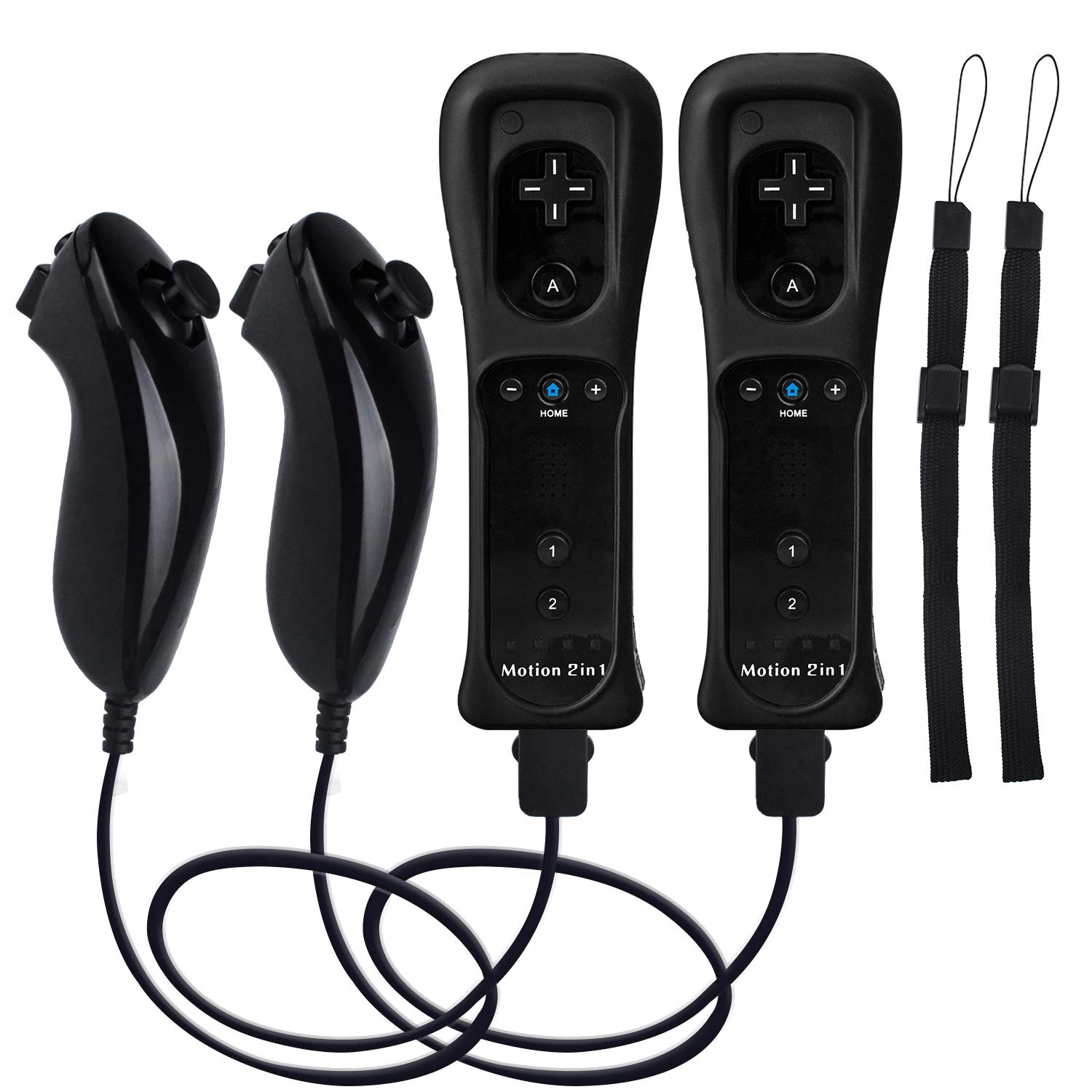
Motion Plus Wii Controllers 2Packs with Nunchucks, Wii Remote Controllers Compatible for wii and Wii U with Built in Motion P
4.1 | 6,102 ratings
Price: 39.99
Last update: 02-02-2026
About this item
- [Compatibility]: The Wii remote controller is compatible with Nintendo Wii and Wii U, supports all Wii games. Please note that the Wii console is not included. Batteries not included.
- [Built-in Motion Plus]: The built-in motion plus, more sensitive than the original Wii remote controller, can track movement more accurately, bringing you a more realistic game experience.
- Th wii nunchuck controller boasts a 3-axis motion sensor, akin to the Wii Remote. Its ergonomic design ensures a comfortable grip, promoting agility during gameplay.
- EASY SYNC STEPS -- Push the small button on the controller (where the batteries go) then push the red button on the Wii console (under the little door), then you’re able to synchronize with Nintendo Wii.
- LED indicators -- LED lights will indicate which player you're.
Product information
Features & Specs
| Compatible Devices | Nintendo Wii, Wii U |
|---|---|
| Controller Type | wireless |
| Connectivity Technology | USB |
| Additional Features | Rumble |
| Button Quantity | 20 |
| Hardware Platform | Wii |
| Power Source | Battery Powered |
Measurements
| Package Quantity | 1 |
|---|
Warranty & Support
Amazon.com Return Policy:Amazon.com Voluntary 30-Day Return Guarantee:You can return many items you have purchased within 30 days following delivery of the item to you. Our Voluntary 30-Day Return Guarantee does not affect your legal right of withdrawal in any way. You can find out more about the exceptions and conditionshere.
Product Warranty:For warranty information about this product, pleaseclick here
Feedback

Motion Plus Wii Controllers 2Packs with Nunchucks, Wii Remote Controllers Compatible for wii and Wii U with Built in Motion Plus
Share:https://www.amazon.com/dp/B07ZYGD63V
Found a lower price? Let us know. Although we can't match every price reported, we'll use your feedback to ensure that our prices remain competitive.
Where did you see a lower price?
Fields with an asterisk*are required
Pleasesign into provide feedback.
Item details
| Brand Name | TechKen |
|---|---|
| Manufacturer | TechKen |
| UPC | 824918873699 |
| Customer Reviews | 4.14.1 out of 5 stars(7,408) 4.1 out of 5 stars |
| Best Sellers Rank |
|
| ASIN | B07ZYGD63V |
Additional details
| Color | 2blacks |
|---|
Top reviews from the United States
- KellyWorks Great with Mayflash Dolphin Bar and Dolphin Emulator. First Time Setup is Sometimes be Tricky.Works great with Mayflash Dolphin Bar and Dolphin Emulator. Though first controller setup can sometimes be tricky. So far testing the controllers they have been working great even the nunchuck. I haven't played with them much yet but I was able to get 4 controllers working fine playing 4 player games on Dolphin. I will be using them to play games more here soon so hopefully, they work for long periods of time without any issues. So far they feel and work just as well as the original Nintendo Wii Motion Plus controllers I have.
The first controller was a little tricky to get running. For some reason, the sync button on the Mayflash Dolphin Bar and the controller didn't work the first time. I have to follow some instructions I found to make Windows 10 see the Bluetooth devices of the Wii controller. After the first one was working though. The other 3 only required me to hit the sync button on the Dolphin bar and these controllers.
The instructions I used were as follows:
How To Get It To Work With Windows 10 and Dolphin.
1) Attempt to connect your Wii controllers via normal Bluetooth.
2) When asked for a code, enter 0000 or any four different codes. This will fail. This is expected.
3) Open up the Windows Control Panel. Click "add device". There, you should see the option to add a Wii controller. Add the controller. When asked for a code, continue without entering one.
4) Launch the Dolphin Emulator. Navigate to the control configurator. Select "real Wii remote" on the player 1 control scheme.
5) launch your game, and it should work.
But you may get lucky and not need to do these steps. However, now you know if you have issues. - JohnnyGreat remote, even better customer serviceGreat remote especially given the motion plus! We did have a connection issue after a while and contacted support for it. The service was amazing and prompt! We soon got a replacement and it works just fine!
- Scott BoyceDoes not work with Dolphin Emulator, DolphinBar, or Windows 11I bought this to use with the Dolphin Wii Emulator to play my old games. My old remotes no longer worked so this seemed like an inexpensive way of getting new remotes.
Unfortunately, Windows 11 bluetooth did not recognized it and it would not appear on the bluetooth menu. Due to this I could not use the Dolphin bluetooth pass through.
I also bought the DolphinBar, which would connect with the remote but only as a mouse pointer (Mode 1, 2, and 3) and not as a "wii remote controller" (Mode 4). Note when I would connect it as Model 1, 2, or 3, it would work, then if I switched to Mode 4, the remote's lights would go crazy and then it would shut down and not work for a little bit afterwards.
I gave it four stars because everything else seems solid about the remotes, but I was not able to test it on an actual Wii console because mine is too old to function anymore.
What is a shame is the manufacturer should work with Dolphin or DolphinBar to get it to work with those, especially since the Nintendo Wii is no longer made and people only use the Wiimote with emulators now. - lanceWorks well!Works very well both remotes. Works for Wii sports resorts.
- thedarkparadoxAbsolute trash possible safety concernUpdating my review. After owning these for quite a while now, I've barely gotten any use out of them. Reason being is they are extremely sensitive despite turning all lights off in the room and calibrating the sensor bar appropriately. It's a challenge getting the hand to show up on screen just to make selections let alone having accurate input. The other reason is likely a safety concern. Why on earth are these remotes sucking down brand new AA batteries within 2 days of putting them in? My OEM Wii Remote doesn't do this and is capable of using the same batteries for months. This is no exaggeration. Brand new batteries have to be put in these things constantly, making them expensive to use and maintain. You're much better off buying used OEM Wii Remotes for a premium knowing you're getting a quality product. Literally the only good thing to come out of this purchase are the nunchucks that work. Please, don't waste your money on these.
Original review:
Big bucket of meh.
It works - kind of. It synchronized - kind of.
Honestly it was a pain to synchronize and still is at times as I have to remove and put back in the batteries in order for it to actually pair up with the Wii U. Also the IR sensor inside is nowhere near as high quality as in OEM Wii Remotes because its movements are janky when trying to use the menu. But I'm not spending over $70 for an OEM Wii Remote; so, this is what we're stuck with I guess. Also the onboard speaker makes sound. Whether or not it's any good is a total toss up depending on the sound coming from the game. Thankfully the nunchucks work very well, hence 3 stars and not 2. - Sharon EmeighWorks greatBought as add ons to our WII. No problems, easy set up, works great.
- Banjo BatmanThese do work, but not great.The good thing is that these do work, and they have "motion plus" in them. For the price, it's kind of hard to complain.
That being said, I really do think you are compromising the quality for the low price. Like so many things in life, you get what you paid for.
They do not work as well as Nintendo branded motion plus controllers. I had a lot of trouble getting these to make the cursor appear on my TV. When the cursor did appear, it seemed like the angle was off and I was pointing the controller much higher than my cursor, then it was almost impossible to control the cursor to point to the thing I was trying to click on. I don't have this problem with my Nintendo branded controllers. When playing my Wii Fit U games with these controllers I had a lot of misses with the motion sensors. They didn't seem to register the movement unless I really, really jerked them around. When playing tennis, I felt like I almost had to throw my arm off to make it swing at the right time. Also, the A button on either remote took a lot more force to register than my Nintendo Branded controllers.
In the end, I decided to return these and found some used Nintendo controllers to replace them. - Amazon CustomerAs good as original.Initially easy syncing and plays and feels like the original. Very happy with the purchase.